

AI Search
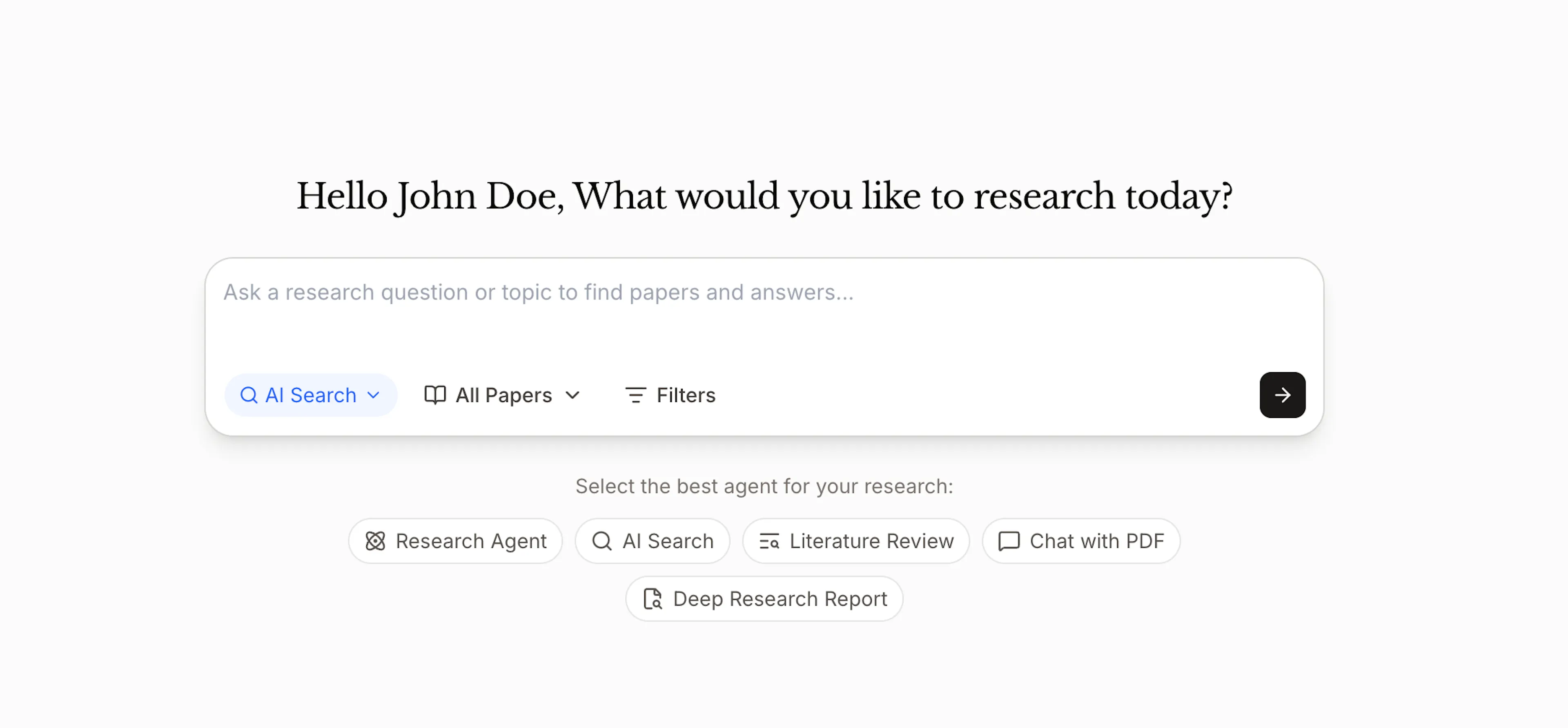
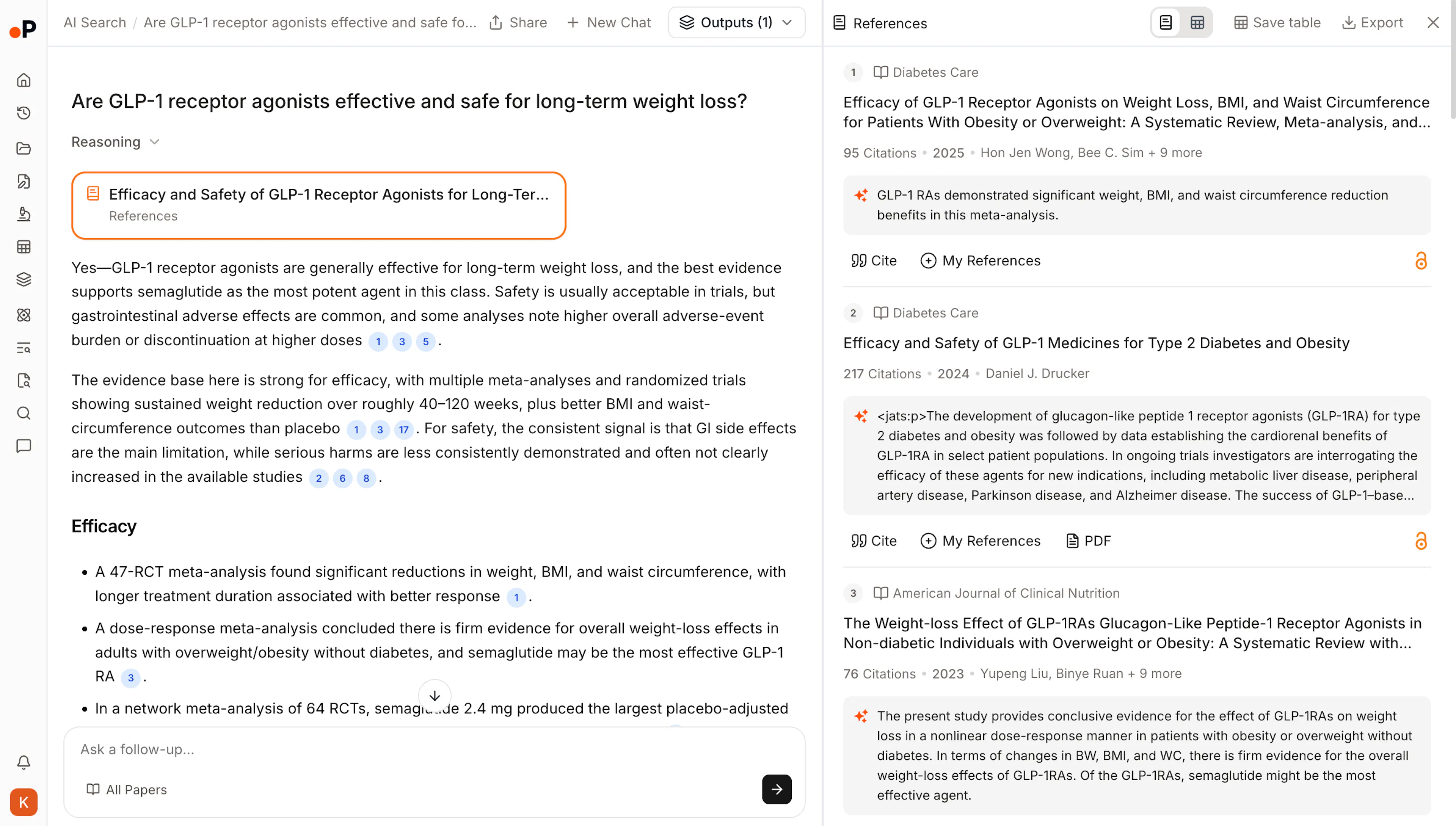
Ask a research question in plain language. Get an evidence-backed answer, the 20 most relevant papers behind it, and a reference list you can verify and reuse.
What AI Search is
AI Search is Paperguide's literature discovery tool. It is built for research questions, not keyword lookup.
Traditional academic search returns a ranked list and leaves the work to you: skim titles, open abstracts, discard most of them, and assemble an understanding of what the literature actually says. AI Search does that middle step for you. You ask a question, and it returns:
- A synthesized answer to your question
- The top 20 papers the answer is drawn from
- A reference list, with every claim traceable to a source paper
By default it searches Paperguide's research corpus of 200M+ peer-reviewed papers drawn from PubMed, arXiv, OpenAlex, and Semantic Scholar. You can narrow that to PubMed, arXiv, or your own Reference Manager library, and apply filters to constrain what counts. It does not search the web, blogs, or general internet content.
When to use it
Use AI Search when you want:
- A grounded overview of what the literature says on a question
- A strong starting set of papers without manual filtering
- Related work anchored on a paper you already trust
- A quick evidence check before committing to a fuller review
Use a different tool when:
| You want to | Use |
|---|---|
| Search, then screen, extract, and draft in one continuous session | Research Agent |
| Produce a formally written literature review document | Literature Review Agent |
| Control every stage of a review yourself | Deep Research Report |
| Interrogate PDFs you already have | Chat with PDF |
Run your first search
Before you start: AI Search is available on every plan. The Free plan includes 20 searches per month. Plus and Pro include unlimited searches.
- Open AI Search from your dashboard.
- Enter a research question, topic, paper title, or plain-language description of what you are trying to find out.
- Optionally, choose a source and apply filters. The full 200M+ database is selected by default.
- Review the synthesized answer, the top 20 papers, and the attached references.
- Open any reference to read the source paper, select a suggested related question, or ask your own follow-up in the same chat.
Result: You have a cited answer and a focused reading set of 20 papers, each traceable to its source.