

Get Research-Backed Answers
Paperguide's AI Search feature allows you to ask questions and instantly receive research-backed answers along with relevant papers/documents, making your research faster and super efficient.
AI Search 2.0 (New)
Paperguide AI Search 2.0 is an agent-driven workflow that takes you from question → evidence → answer in a single flow. It searches within Paperguide's large research corpus and guides you from your query to the most relevant studies, then to a synthesized, research-backed answer.
You can search using:
- A research topic or area.
- A specific research question.
- A paper title.
- A plain-language description of what you are investigating.
AI Search 2.0 returns three key outputs in one place:
- Top 20 research papers most relevant to your query.
- A synthesized answer based on those top 20 papers.
- A reference list so you can verify claims and continue reading.
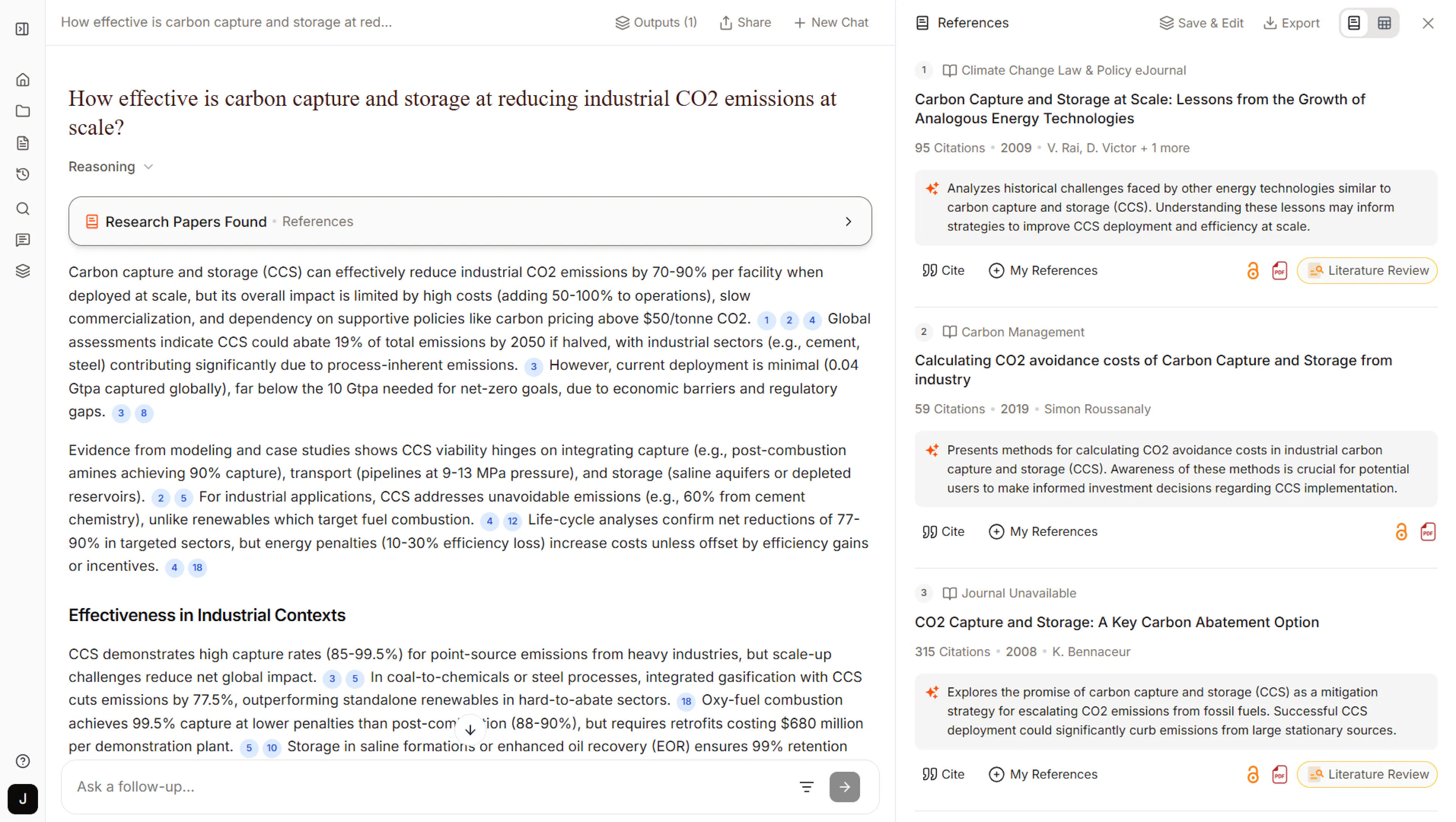
Quick start with AI Search 2.0
- Enter your query (topic, question, paper title, or description).
- Review the synthesized answer together with the Top 20 papers and references.
- Go deeper by opening references or asking follow-up questions in the chat.
To learn more about the agent-driven workflow and advanced options, see the dedicated AI Search 2.0 guide.
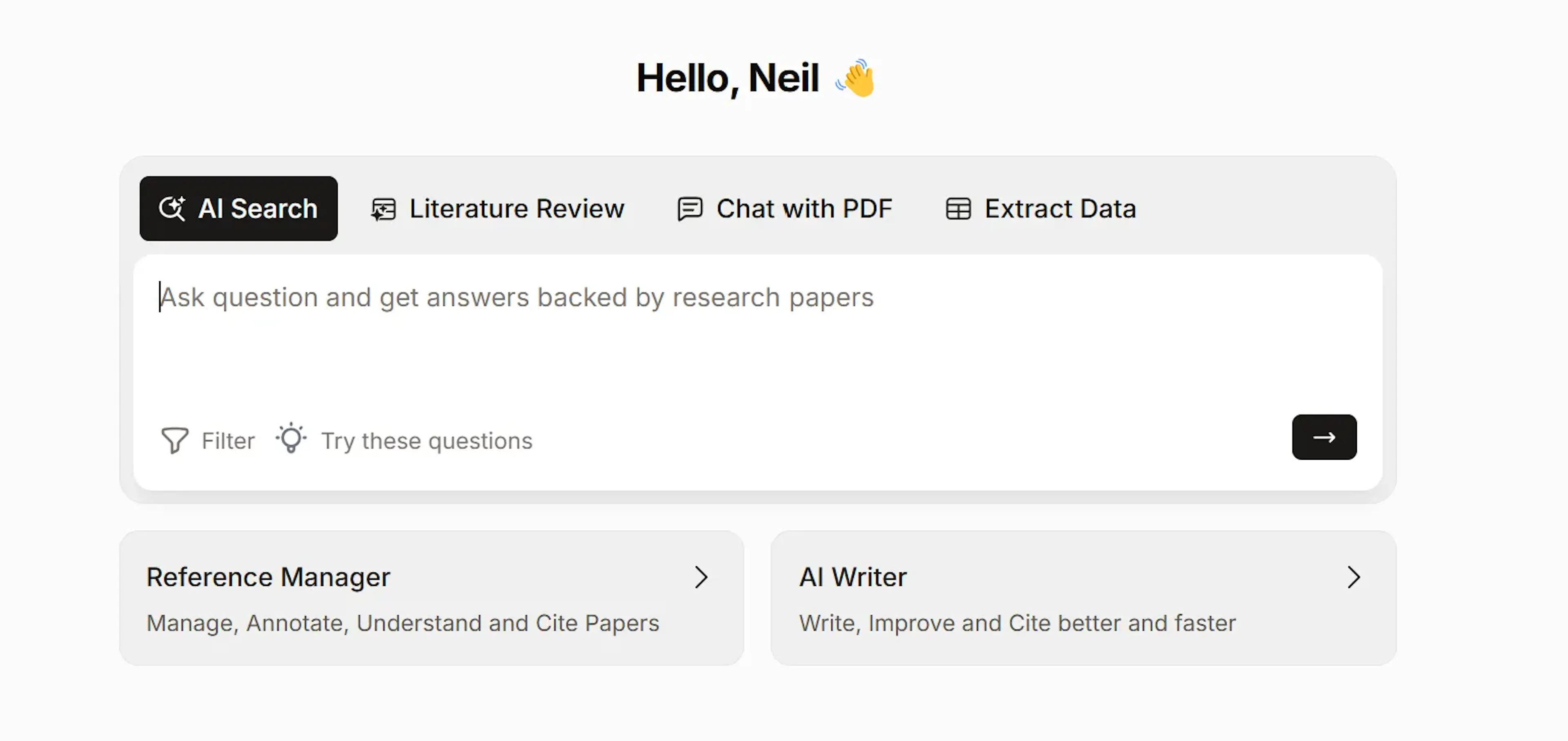
Ask your research question or search by your research topic
Instead of a generic keyword search, ask your question. Our AI works best with clear, focused questions like
-
Does regular physical exercise reduce the risk of chronic diseases?
-
Does gut microbiome diversity impact immune system function?
-
What are the pros and cons of immunotherapy in treating autoimmune diseases?
Tip: Use filters (by year, journal ranking, etc.) to refine results instantly.
Paperguide's semantic search understands your question and scans millions of papers to find the most relevant, credible research.
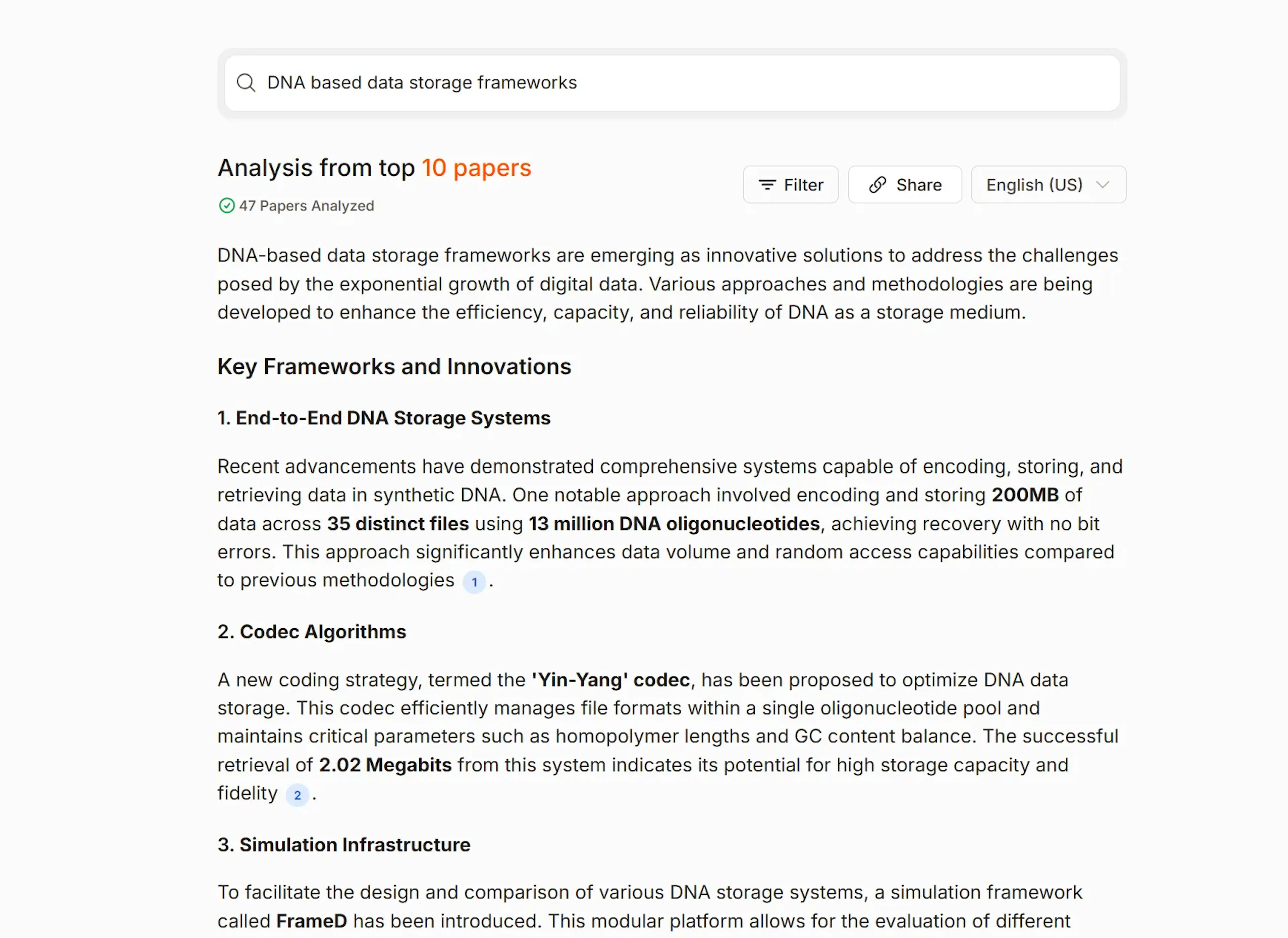
Get Detailed Answers with Direct Citations
Paperguide will search through the 200 million+ research database and generate an answer backed by the top research papers to your question, including exact quotes with citations.
- With AI Search 2.0, the answer is synthesized from the Top 20 most relevant papers for your query.
- With the classic AI Search view, you will typically see around 10 top papers (and sometimes fewer if filters are applied).
In both cases, papers are chosen based on citation counts, journal rankings, semantic relevance, and keyword matching for high-quality sources.
Hover on Citations in the response to view paper details, add them to references and create a new chat with paper if the paper has a PDF available
Access the top sources/papers with instant insights
Along with the answer, you'll receive a list of the top relevant papers (in classic AI Search this is usually 10 papers, and in AI Search 2.0 you can see the Top 20 papers powering the answer). If filters are used, the number of shown papers may be lower.
Every relevant paper is ranked, with key quality indicators to highlight valuable research.
-
Citation metrics help you find highly cited papers with significant impact.
-
Easily spot top-tier journals using SJR Journal Ranking.
-
Identify study types instantly with Study Type/Method.
-
Save time with Key Insights, summarizing each paper's findings.
These features help you evaluate research faster and more effectively.
Apply Filters to refine your search further
AI Search has filters for Year Range, Citation count, Open Access Status, PDF availability status, Field of Study, and SJR - Journal Rating Quartiles.
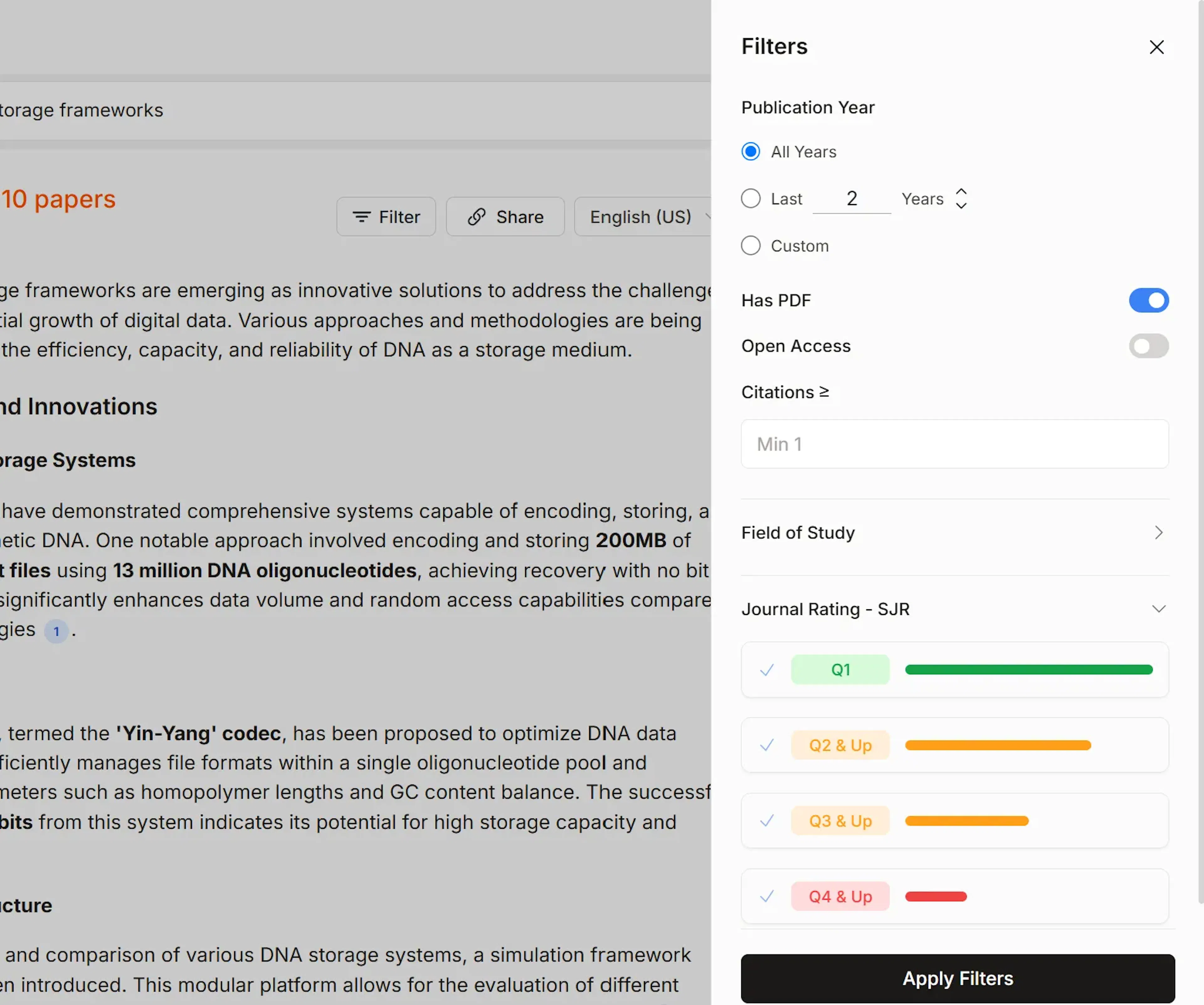
You can use these filters to refine your search and find latest papers or highly cited papers
Export references along with key insights from each reference
Download the references in bib, csv, and Excel formats. In CSV and Excel formats, you also get the insights from each paper in the Excel file.
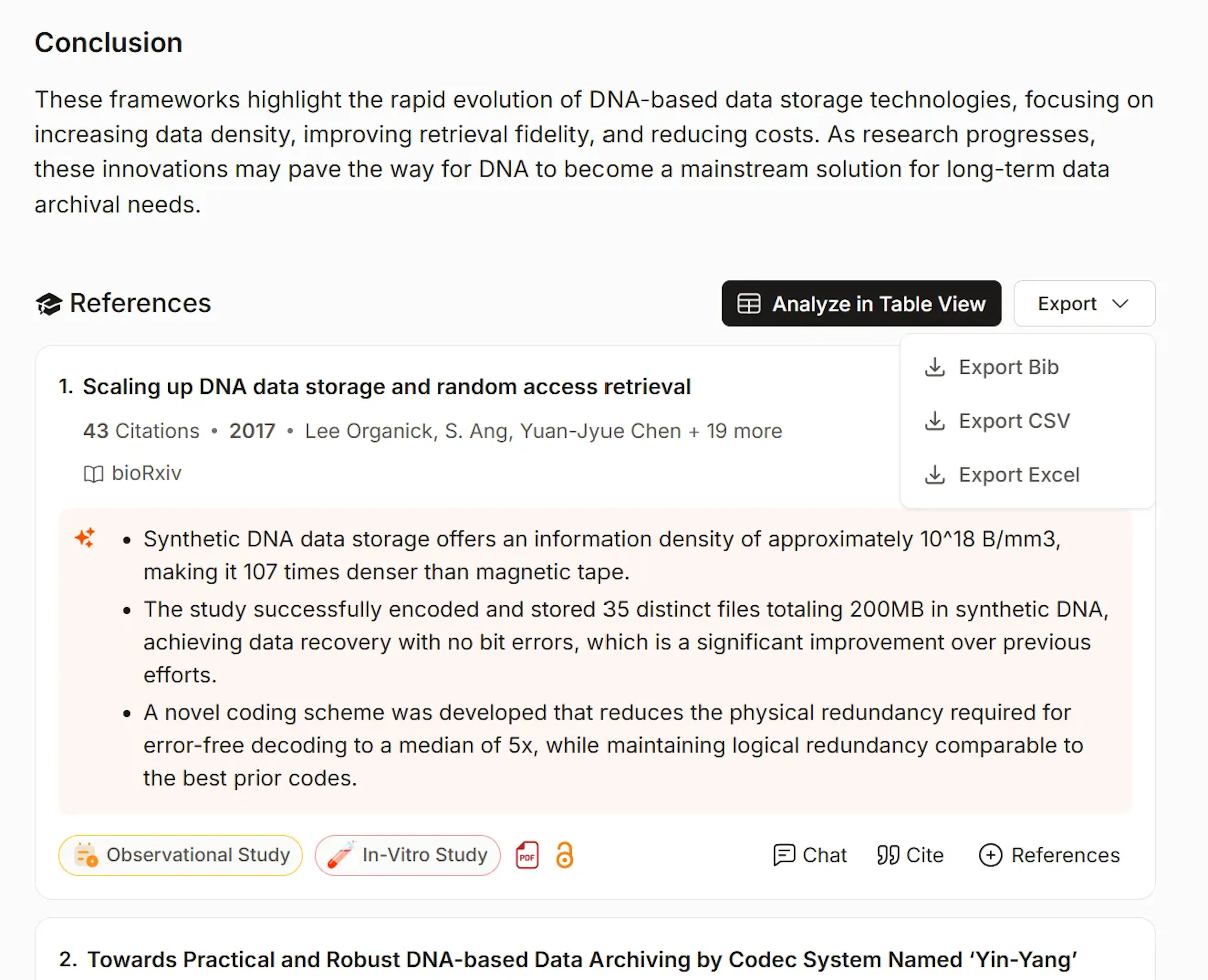
What's more in AI Search? Add papers to Reference Manager. Get citations, Analyze in table view and Chat with papers…
Switch to Table View (Literature Review view) for further, deeper analysis
When you click on "Analyze in table view," it switches to the Literature Review view, and you can continue your research further by deep diving into each reference, extracting up to 50 parameters to compare and contrast, and also searching for more papers (using the Load more button). See the literature review for more details.
The AI Search feature simplifies the process of finding the most relevant research papers, allowing you to focus on understanding and analyzing the information with ease.
Try searching your current research question to see how quickly you get results.
Last updated Jan 28, 2026
Built with Documentation.AI