

AI Search 2.0
Learn how to use Paperguide AI Search 2.0 to get research-backed answers, Top 20 papers, and references in one workflow.
Research search usually breaks down in two places: finding the right papers, and turning those papers into a clear, evidence-based answer without spending hours filtering and skimming.
Paperguide AI Search 2.0 is our new search experience built for that exact workflow. It is powered by an agent-driven process that helps you go from question → evidence → answer in one flow.
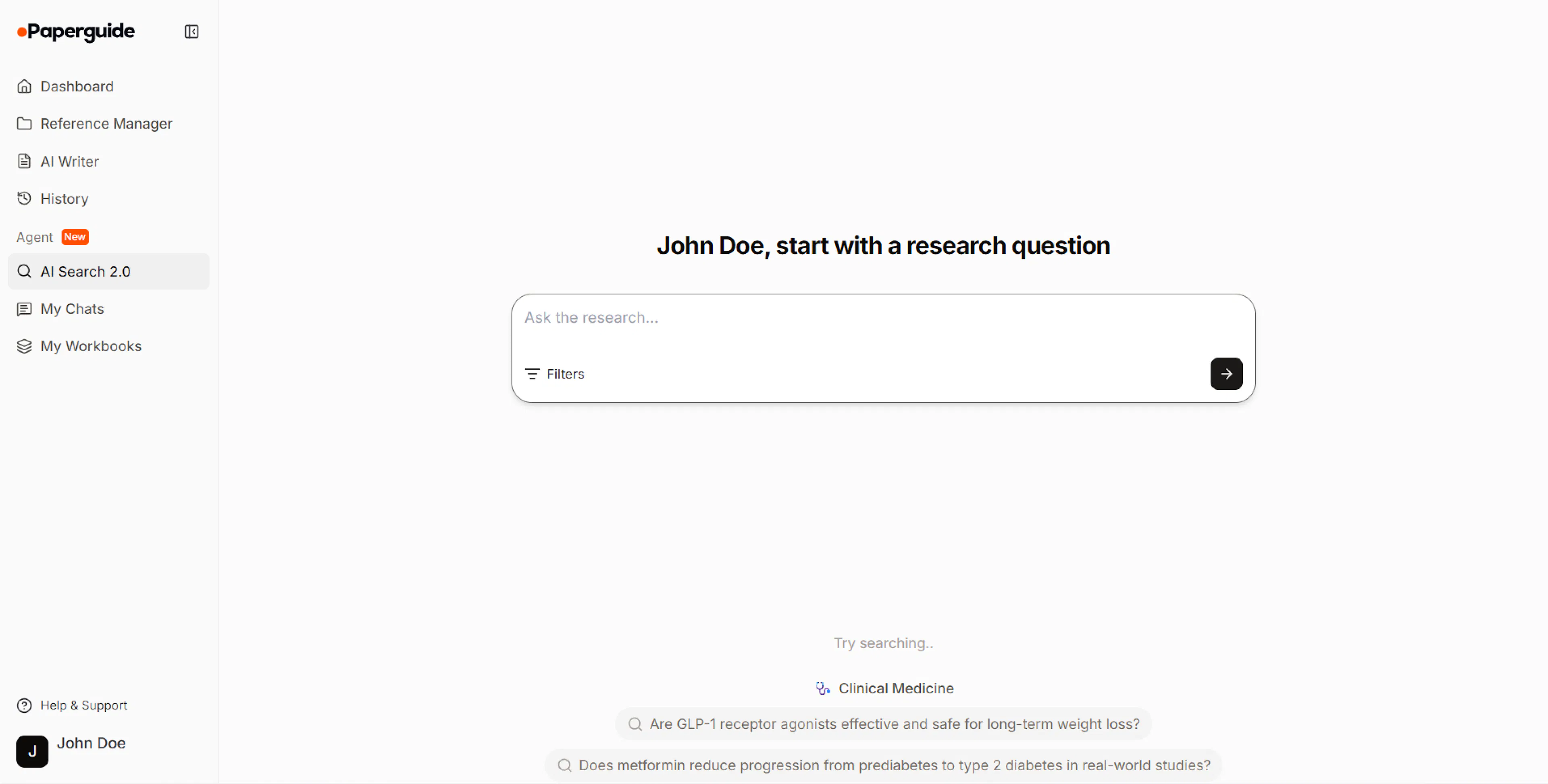
What is AI Search 2.0?
AI Search 2.0 is Paperguide’s upgraded research search experience, powered by an agent workflow. It is built for academic, scientific, medical and other research fields.
You can type a:
- topic
- question
- paper title
- plain-language description of what you want to find out
You use it like a web search, but instead of returning a long list and leaving you to do the heavy lifting, AI Search 2.0 gives you:
- Top 20 research papers most relevant to your query
- A synthesized answer based on those Top 20 papers
- A reference list so you can verify and continue reading
Think of it as: search + selection + synthesis in one workflow.

When should you use AI Search 2.0?
Use AI Search 2.0 when you want:
- a strong starting set of papers without manual filtering
- a quick research-grounded overview of a topic
- a reference-backed answer you can verify and expand
Common use cases:
- literature review starting point
- clinical or medical evidence overview
- exploring a new topic area
- finding papers similar to a known study
How to use AI Search 2.0
You can start with whatever form your idea is currently in. AI Search 2.0 is flexible and supports a few common patterns.
Quick start
-
Enter your query
Type a clear research question, topic, paper title, or plain-language description. -
Review the results
Look at the synthesized answer, the Top 20 research papers, and the references attached. -
Go deeper
Open specific references to read the papers, or ask follow-up questions in chat to refine or extend the answer.
After you run a search, keep asking follow-up questions in the same chat to stay on topic and reuse the same Top 20 context, instead of starting a brand-new search each time. You can reopen and continue this conversation later from My Chats.
Ask a direct research question
This is the most effective format.
Examples:
- “Does intermittent fasting improve insulin sensitivity in type 2 diabetes?”
- “What are the risk factors for postpartum depression in first-time mothers?”
- “How effective are SSRIs versus CBT for adolescent anxiety?”
Tip: If your question has a specific population or condition, mention it.
Provide a topic
If you are in the early phase of reading, a topic works well.
Examples:
- “Long COVID cognitive symptoms”
- “Microplastics and human health”
- “CRISPR off-target effects”
Tip: If it is broad, add one extra constraint like age group, setting, or outcome to improve precision.
Paste a paper title to find similar work
Use this when you have one anchor paper and want the best related studies.
Examples:
- paste the title of a paper you trust
- or “papers similar to [title] focusing on clinical outcomes”
Describe what you are trying to figure out (plain language)
This is helpful for non-experts or interdisciplinary work.
Examples:
- “I am trying to understand if vitamin D supplementation reduces respiratory infections in adults.”
- “I want studies that compare remote vs in-person therapy outcomes.”
If your query is broad, add one detail that matters (population, condition, outcome, timeframe). You will get a tighter Top 20 list.
Export references from AI Search 2.0
Export the references from your AI Search 2.0 results to work in your reference manager, analysis tools, or spreadsheets.
You can download the reference list in:
- BibTeX (BIB): use when you want to import directly into a reference manager or citation tool.
- RIS: use for tools and libraries that prefer RIS formatted exports.
- CSV: use when you want to open the references in Excel, Google Sheets, or another data tool for quick filtering and sorting.
The export includes the references along with key insights for each reference, so you can carry your work into other tools without retyping.
View references in table view
Switch to a table-based view of your AI Search 2.0 results when you want to compare papers side by side or extract structured data.
Open table view
From the AI Search 2.0 results, click Analyze in table view. This opens the Literature Review table view with your current Top 20 references loaded.
Review and extract key details
In the Literature Review table, add predefined columns such as Key findings, Methodology, Limitations, and Conclusions, or create custom columns to track what matters for your project.
Extend your reading set
Use the Load more option in the table to search for and add more papers beyond the initial Top 20 while staying in the same literature review workflow.
To learn more about working in the Literature Review table, see the Literature Review guide.
Save your AI Search results to notebooks
Save the references table from AI Search 2.0 into a workbook in your notebooks so you can keep analyzing, return later, and build on the same set of papers.
When you save the table:
- The table or workbook is auto-saved as you work.
- You can reopen the workbook later from My Notebooks and continue your analysis.
Common things to do after saving:
- Add extraction columns: capture variables, outcomes, sample sizes, or any other fields using the extraction workflows described in Extract Data.
- Add more papers: use the Load more or search options in the workbook to expand beyond the initial Top 20 results.
How AI Search 2.0 works
AI Search 2.0 is powered by an agent workflow that behaves less like one search query and more like a careful research assistant.
Understanding your intent and planning
It starts by understanding the intent behind your prompt—what you are actually trying to learn, not just the words you typed. From there, it creates a search plan and runs multiple targeted searches to widen coverage and reduce blind spots.
Combining, re-ranking and selecting papers
Next, it brings results together, removes duplicates, and narrows down the set to the most relevant candidates. Then it reranks those candidates to prioritize papers that are more directly aligned with your question—favoring higher-signal research and recency where it matters—before selecting the Top 20.
Answering with evidence
Finally, it reads the Top 20 as a set and produces a synthesized answer that reflects what the evidence says overall, while keeping the references attached so you can verify and go deeper.
In short: it does not just return results—it does the research-style work of getting you to a focused set of papers and a grounded summary.
Best practices for better results
Write queries like a researcher (but keep them simple)
Good:
- “What is the evidence on X for Y population?”
- “Does A reduce B in patients with C?”
Also good:
- “Topic + constraint” (for example, “Vitamin D supplementation respiratory infections adults”)
Add one constraint if you are broad
If you only type a general topic, add one extra detail:
- population, outcome, timeframe, or setting
Use paper titles to expand your reading set
If you already have a key paper, paste its title to find strong related work quickly.
FAQs
What kinds of queries work best?
Research questions and “topic + constraint” queries work best.
Examples:
- “Does X improve Y in population Z?”
- “Effect of A on B in patients with C”
- “Topic + (population/outcome/timeframe)”
What does “Top 20” mean?
AI Search 2.0 selects a focused set of 20 papers that are most relevant and useful for your query, so you can start reading without sorting through hundreds of results.
Can I use AI Search 2.0 like Google?
You can search in a similar way—type naturally, paste a topic, question, or title—but AI Search 2.0 is not web search.
Paperguide searches only within our research corpus (200M+ research studies and papers), not web pages, blogs, or general internet content. The results are a curated Top 20 paper list plus a synthesized, evidence-grounded answer with references.
Why do I not see more than 20 papers?
AI Search 2.0 is designed to give you a manageable, high-signal reading set. If you need broader coverage, run a second search with a slightly different scope or refine your query.
How does the answer get generated?
The synthesized answer is generated from the Top 20 selected papers, and references are included so you can verify and explore the sources.
Can I ask follow-up questions?
Yes. After you get results, you can ask follow-up questions in the chat to go deeper, clarify findings, compare studies, or narrow the scope—without starting from scratch, and while staying in the same conversation context.
Examples:
- “Focus only on studies after 2020.”
- “What do systematic reviews say specifically?”
- “Any evidence in adolescents?”
- “Summarize key limitations across the Top 20.”
What if the results do not match what I expected?
Try one of these:
- add a population, condition, or outcome constraint
- add a timeframe (for example, “post-2020”)
- rephrase using a more specific research term
- paste a known paper title as an anchor and search from there
If your results still feel off or you want to share feedback about AI Search 2.0, you can write to us at hello@paperguide.ai. We read every message and use it to improve the experience.
Is AI Search 2.0 only for medical research?
No. It is built for academic research broadly (science, engineering, social science, and medical research).
Can I cite the synthesized answer directly?
You should cite the source papers listed in the references. The synthesized answer helps you understand and navigate the literature; the papers are the authoritative sources.
Last updated Feb 26, 2026
Built with Documentation.AI