

Library Access for Paywalled PDFs
Add your university or library proxy once, and the Chrome extension uses it to get PDFs behind publisher paywalls.
Overview
Paperguide can't get papers behind a publisher's paywall from open sources. If your university or library gives you access to those journals, add its proxy server to Paperguide once. The Chrome extension then uses your library access whenever it looks for a PDF, in the Reference Manager and in a Systematic Review.
Most universities use an EZProxy server. If you're not sure whether yours has one, check your library's website or ask its help desk for the proxy URL.
Set up library access before your first PDF search. The extension then tries your library for every paper in that search, and fewer papers end up behind a paywall.
Add your library proxy
Open Proxy Settings
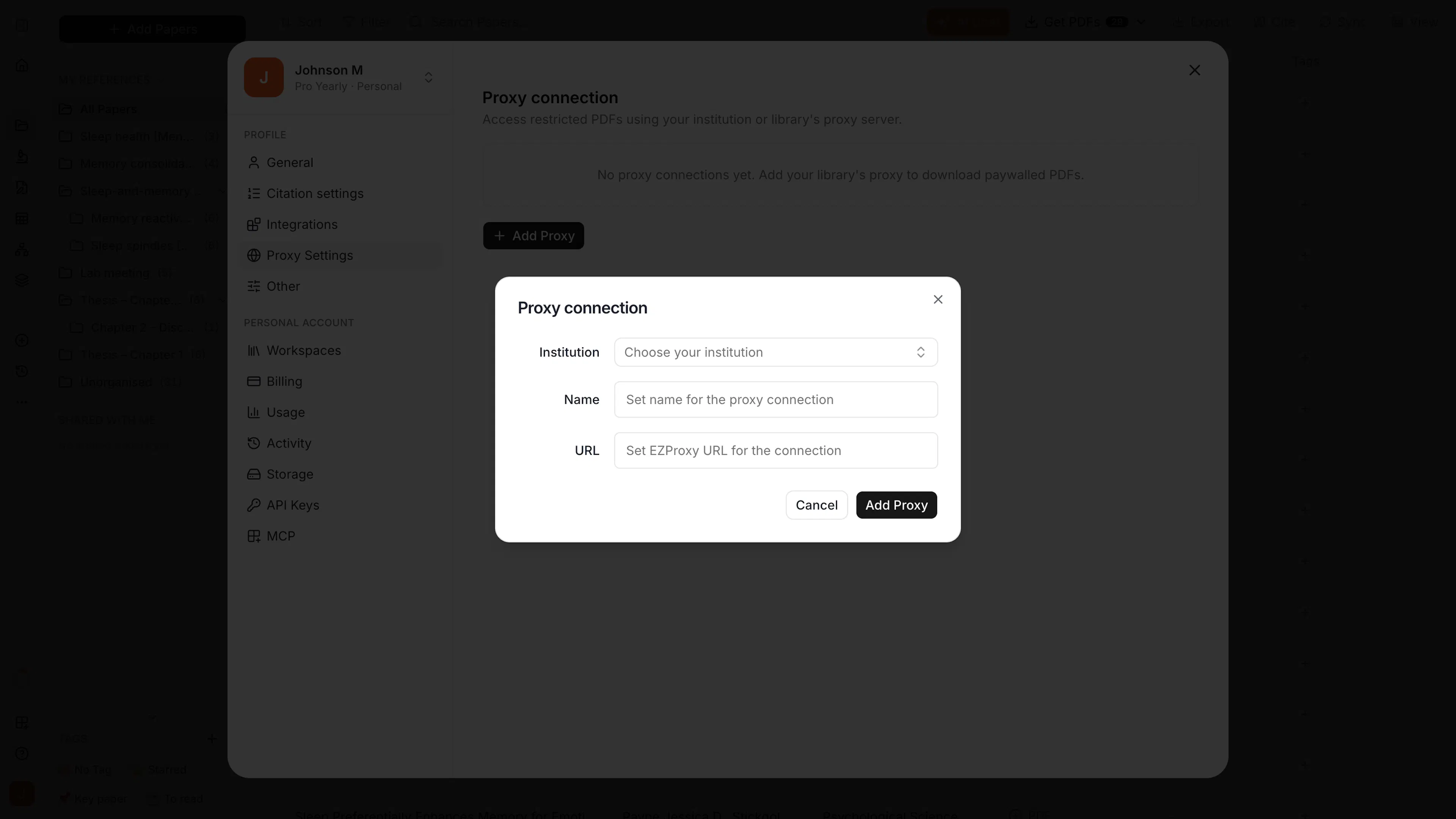
Go to Settings → Proxy Settings and click Add Proxy.
Choose your institution
Choose your institution from the list. This fills in the name and proxy URL for you. If your institution isn't listed, enter a name and your library's EZProxy URL. Click Add Proxy.
Sign in and test
Click Sign in to log in to your library, then click Test proxy to check that it works.
Get the paywalled PDFs
Once your proxy is set up, fetch the paywalled papers again:
- Reference Manager: select the papers, click Get PDFs → Find PDF online, then Fetch all. Each Get PDFs starts a new search, so papers that were behind a paywall are tried again. For a single paper, click Retry on its Restricted label.
- Systematic Review: click Add PDF → Find PDF online on each paper that was behind a paywall.
If a site asks you to log in to your library during a search, it appears in the dialog's Action required tab with Sign in through library. Click it, log in, and Paperguide collects the PDFs from that site.
Manage your proxies
All your proxy connections are listed in Settings → Proxy Settings. From there you can sign in again, test a proxy, or delete one you no longer use.
Library access only works for journals your institution subscribes to. For a paper it doesn't cover, attach a PDF you already have, or search Google for another copy.