

Create a document
Generate a cited draft or an outline from a description, open a blank document, or import a Word file.
Describe what you want to write and AI Writer searches the literature, picks the most relevant papers, and writes a draft or an outline with citations. You can also start from a blank page or a Word file.
Generate a document or outline
Choose how to start
Go to AI Writer and pick an option:
- Generate Document: AI writes a full draft with citations.
- Generate Outline: AI writes the headings first, so you can shape the structure before the draft is written.
Describe your document
In Describe your document, write your topic or research question and any instructions: scope, sections, tone, and the kind of sources you want. See Write a good description.
To give AI your own material, click the paperclip and attach PDFs, such as drafts, notes or papers. AI uses them as context and can cite them. Then click Continue.
Set up your citation preferences
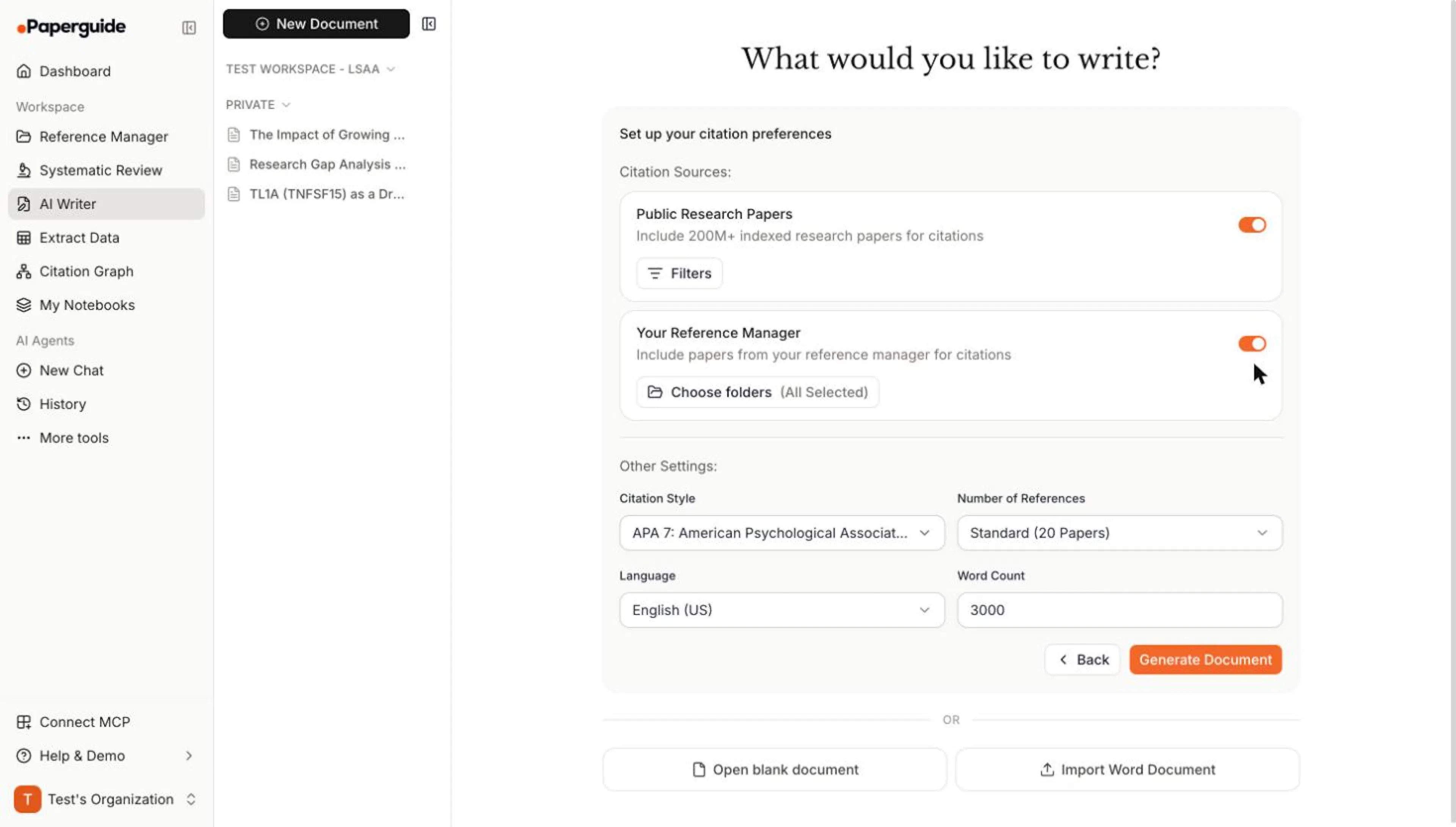
Citation Sources: turn on one or both.
- Public Research Papers: 200M+ indexed papers. Click Filters to narrow by publication year, citations, open access, PDF availability, journal quartile, SJR, SNIP, language, paper type or field of study.
- Your Reference Manager: papers from your library. Click Choose folders to use only some folders or papers (up to 100), and tick Always include selected references in the document if every one must be cited.
If both are off, the document has no citations.
Other Settings:
- Citation Style: search for any style, such as APA 7 or Vancouver.
- Number of References: Standard (20 Papers) or Comprehensive (50 Papers). Generate Document only.
- Language: the language the document is written in.
- Word Count: a target from 200 to 20,000 words. The default is 3,000, which is also the free plan limit.
Generate
Click Generate Document or Generate Outline. The document opens with AI Chat beside it.
While it writes
The editor shows what AI Writer is doing, and the chat lists each step: searching for papers, ranking them, then writing section by section. A draft usually takes a few minutes.
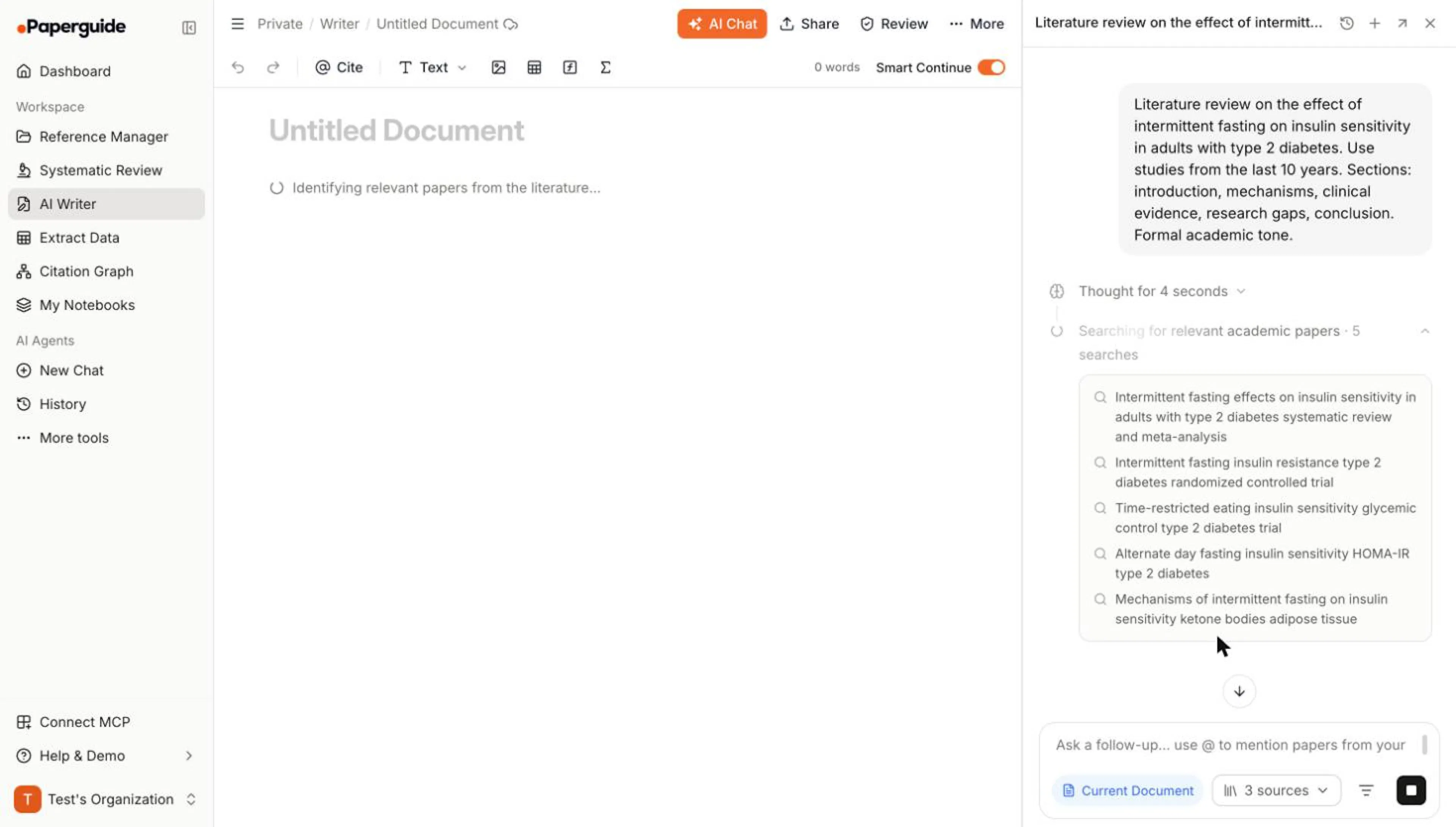
To stop, click the stop button in the chat box. Sections that are already written are kept.
If generation stops on its own, a notice in the editor tells you why and what to do:
| Notice | What to do |
|---|---|
| Not enough credits to generate this document | Click Upgrade plan or Add credits. Your request is saved. |
| No papers found for this request | Rephrase the description or relax the filters, then generate again. |
| We couldn't read an attached file | Attach it again as a PDF with selectable text, not a scan. |
| Connection lost while generating | Reload the page. The document may still be generating. |
Review an outline
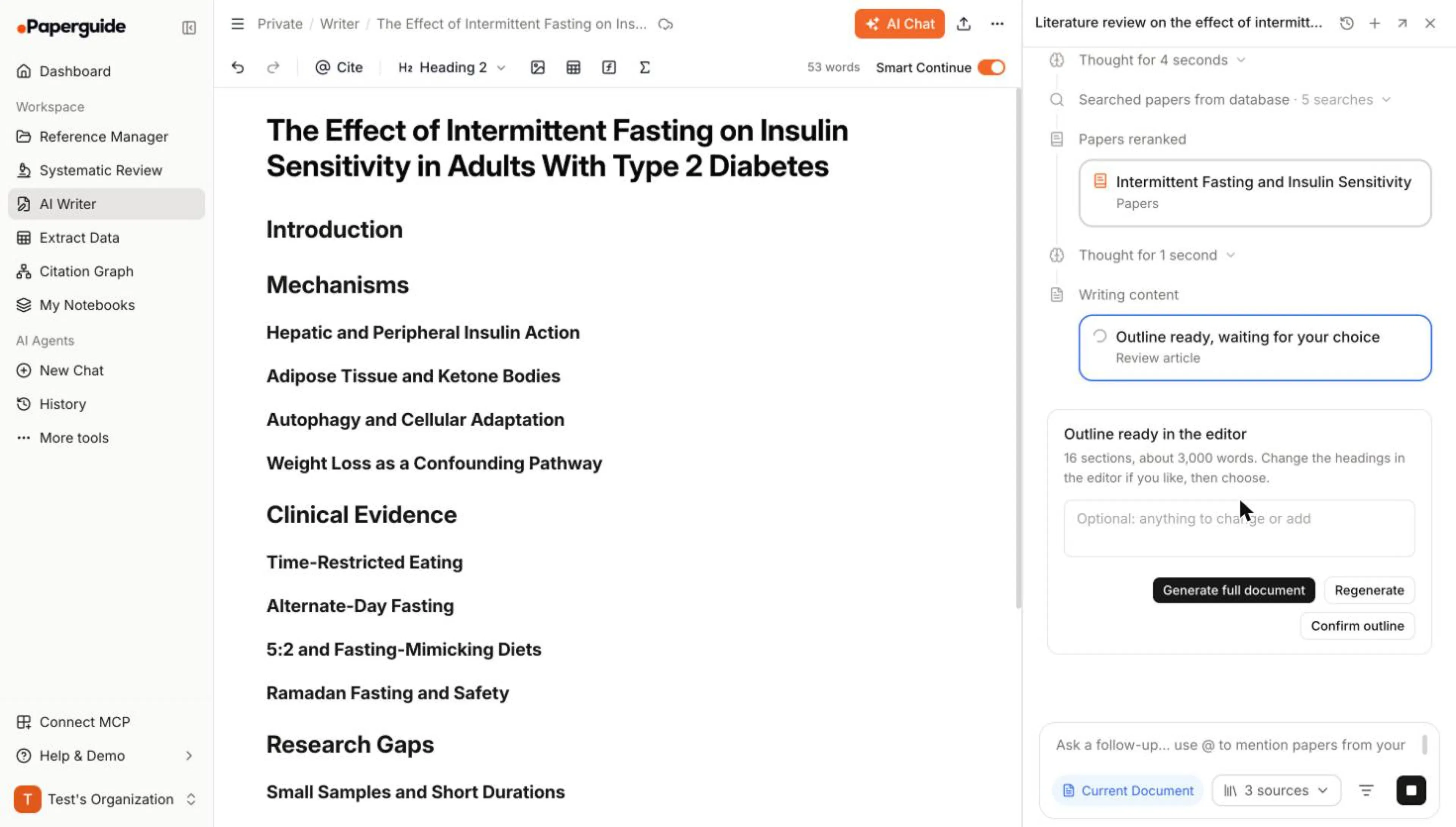
With Generate Outline, the outline goes into the editor as headings. Edit, add or delete headings right in the editor, then choose in the Outline ready in the editor card in the chat:
- Generate full document: AI writes the draft under your headings. Add a note in the box first if you want something changed or added.
- Regenerate: get a new outline.
- Confirm outline: keep the headings and write the document yourself.
Start blank or from Word
- Open blank document: an empty document. Every AI tool works here too.
- Import Word Document: drop a .docx file. The first heading becomes the document title.
Both are on the start page. In the sidebar, + New Document also offers Create New Document and Import Word Document.
Change settings later
Go to More → Settings to change the Document Prompt, Citation Sources (with filters and folders), Citation Style, Language and Font Style (Sans or Serif). The prompt and sources are used the next time AI writes in this document.
Write a good description
The description decides both the draft and the papers it cites. A strong description does four things:
- Scopes the topic. "The effect of intermittent fasting on insulin sensitivity in adults with type 2 diabetes" works far better than "intermittent fasting".
- Says which sources to use. For example, a publication window, review articles or primary research. This works together with the filters.
- Lists the sections you want, such as introduction, mechanisms, clinical evidence, research gaps and conclusion.
- Sets the tone and audience, such as formal academic, or concise and technical.
Examples
Literature review on the role of gut microbiota in type 2 diabetes. Use studies from the last eight years and prefer high-quality journals. Sections: introduction, proposed mechanisms, clinical evidence, research gaps, conclusion. Formal academic tone.
Background section on transformer models for time-series forecasting. Cite primary methods papers, keep it concise and technical, and go from foundational models to recent variants.
The draft is a researched starting point. Check the citations and refine it with AI Chat and the writing tools.