
Share, versions and export
Work on documents with others, keep and restore versions, organize folders, and download your document.
Share a document
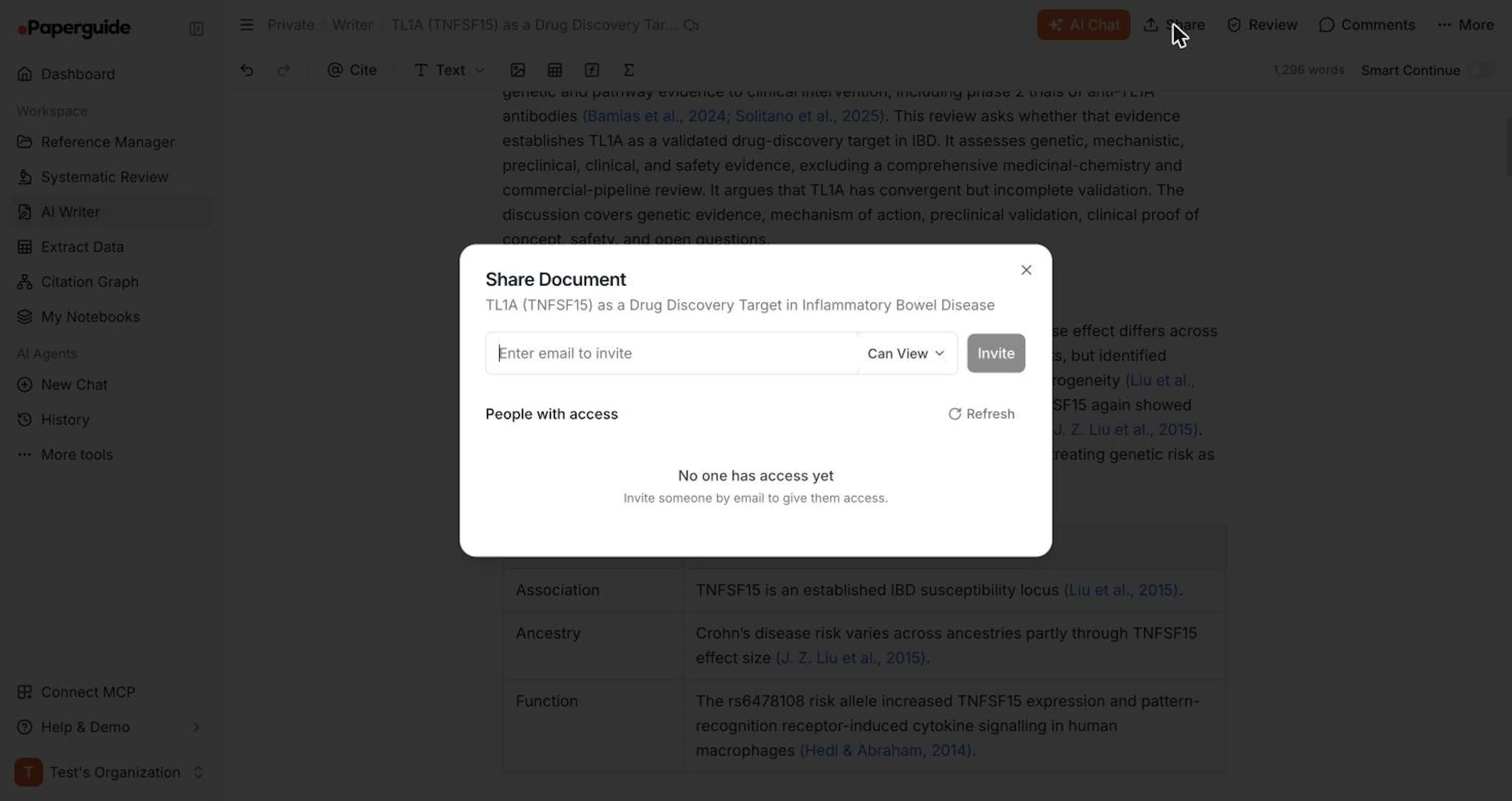
Click Share, enter an email, choose Can View or Can Edit, and click Invite. The person gets an email and a notification, and the document appears in their sidebar under Shared with me.
To share a whole folder, open its menu in the sidebar and choose Share.
One editor at a time
Only one person can edit a document at a time. Others see Being edited by (name) — view only and can still read and reply to comments. When the document is free, they see This document is now available to edit and click Refresh to edit. If the editor's tab closes, the document frees up within about a minute.
Comments
Select text and click the comment icon in the menu that appears. Click Comments in the top bar to see all threads, filter by Open or Resolved, reply, and Resolve or Reopen a thread.
Versions
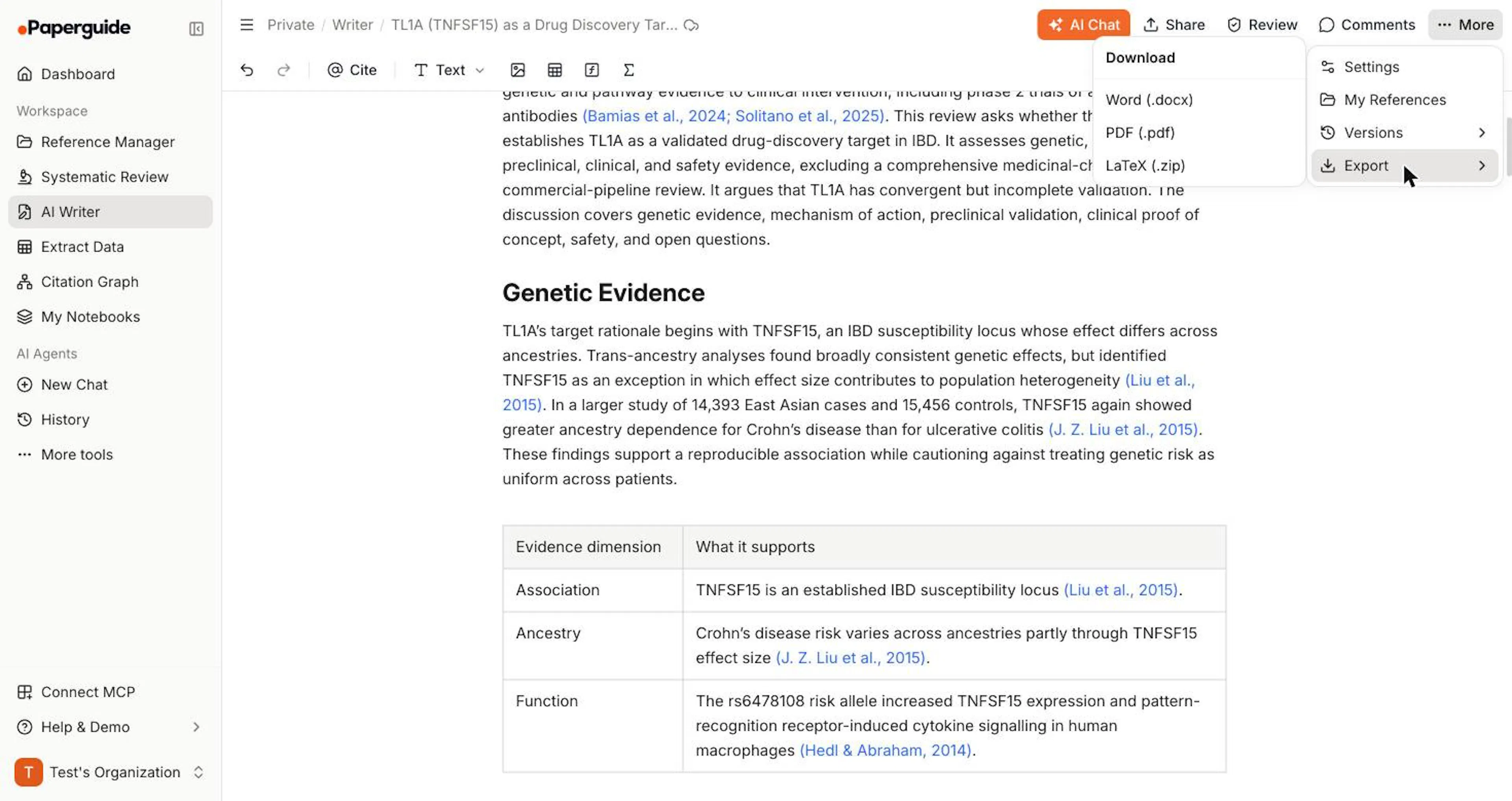
Go to More → Versions:
- Save version: save the current state with a name, such as "Before reviewer revisions".
- See history: open earlier versions. Pick one to preview, then click Restore or Back to current.
Versions are also saved automatically while you work, and before and after every AI Chat edit. Restoring first saves your current document as a new version, so nothing is lost.
Organize documents
In the sidebar, + New Document creates a document or imports a Word file. Drag documents and folders to reorder them or move them to another workspace. A folder's menu has New Document, Add Sub Folder, Rename, Share and Delete.
Deleting a folder also deletes the documents in it. This can't be undone.
Export
Go to More → Export and choose Word (.docx), PDF (.pdf) or LaTeX (.zip). Exports include your citations and the References list. Exporting needs a paid plan.