

Grammar and plagiarism check
Check grammar and compare your document with online sources before you submit.
Both checks are in the Review menu at the top of a document.
Grammar Checker
Run the check
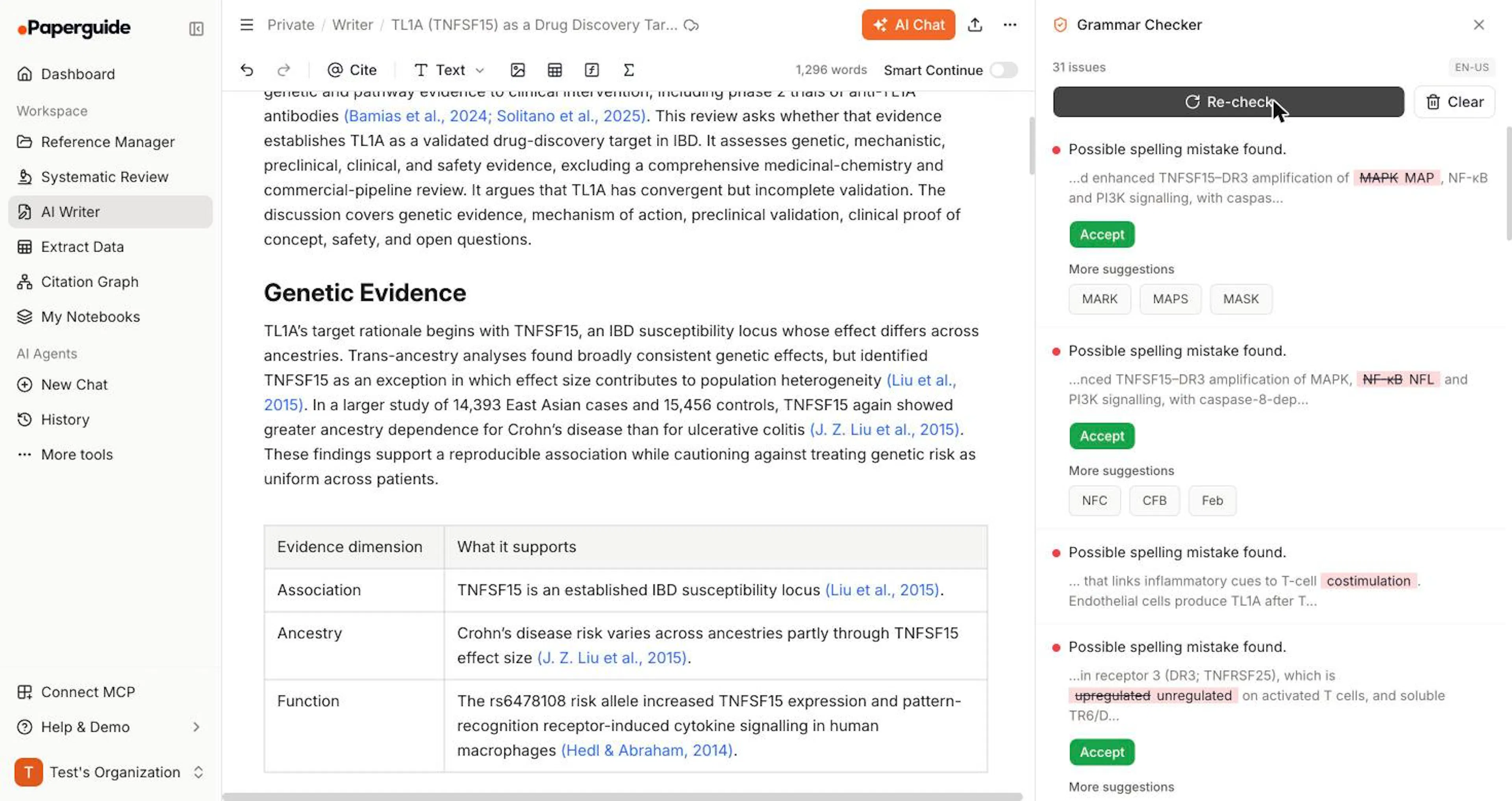
Click Review → Grammar Checker, then Check grammar. The whole document is scanned.
Fix issues
Each issue is listed in the panel and underlined in the text. Click Accept to apply the fix, or pick one of the More suggestions.
Check again
After editing, click Re-check. Clear removes the underlines.
The check works in supported languages. If it says your language isn't supported, change it in More → Settings → Language.
Gene names, abbreviations and technical terms are often flagged as spelling mistakes. Accept only real errors.
Plagiarism Checker
Start the check
Click Review → Plagiarism Checker, then Check Plagiarism. The results open on their own page. Long documents can take up to 5 minutes.
Read the score
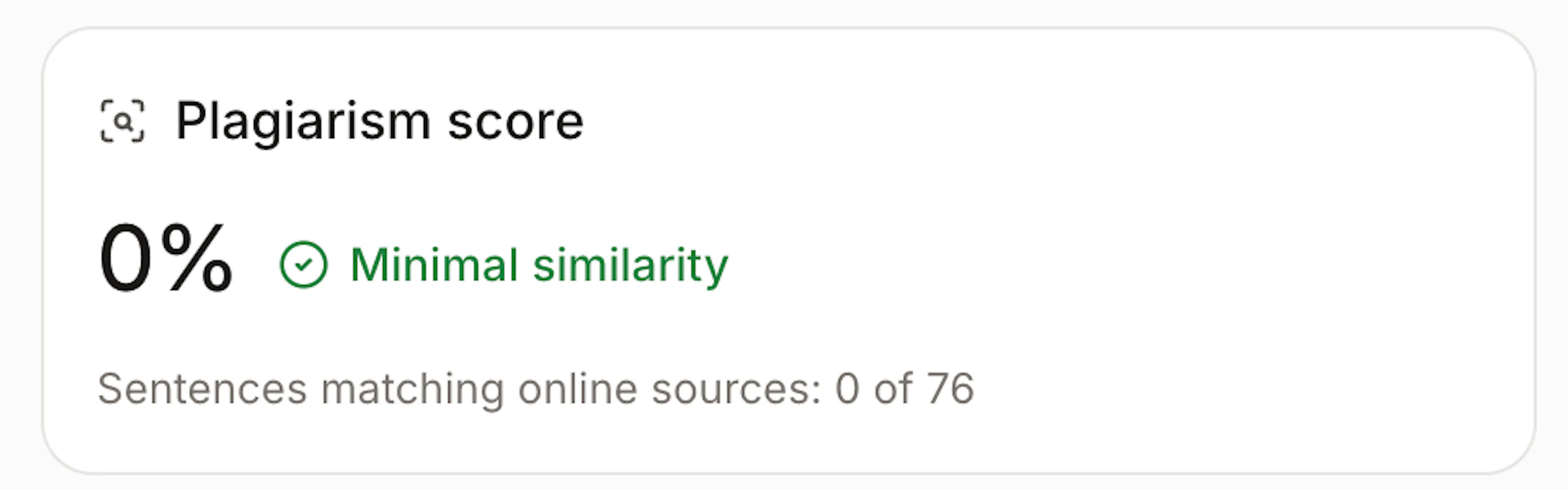
Every sentence is compared with online sources. The Plagiarism score shows how much of your text matches, with a verdict from Minimal similarity to High similarity.
Review matches
Each match is marked Exact match or with a similarity percentage. Click Show in text to find the sentence, or open the source to compare.
Limits
| Plan | Words per check | Words per month |
|---|---|---|
| Free | 2,000 | 4,000 |
| Plus | 5,000 | 20,000 |
| Pro | 5,000 | 100,000 |
| Evidence | 5,000 | 100,000 |
If a document is longer than your per-check limit, only the first part is checked.